Signature Widget
OverviewDirect link to Overview
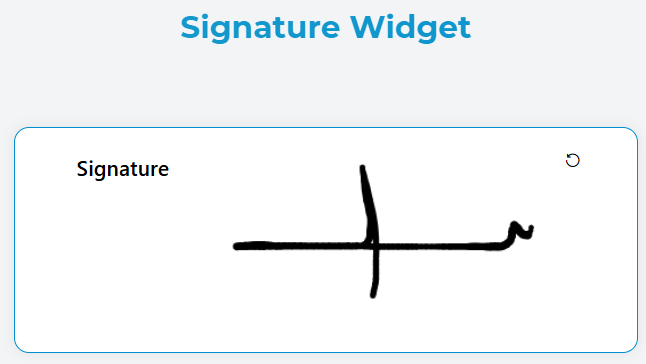
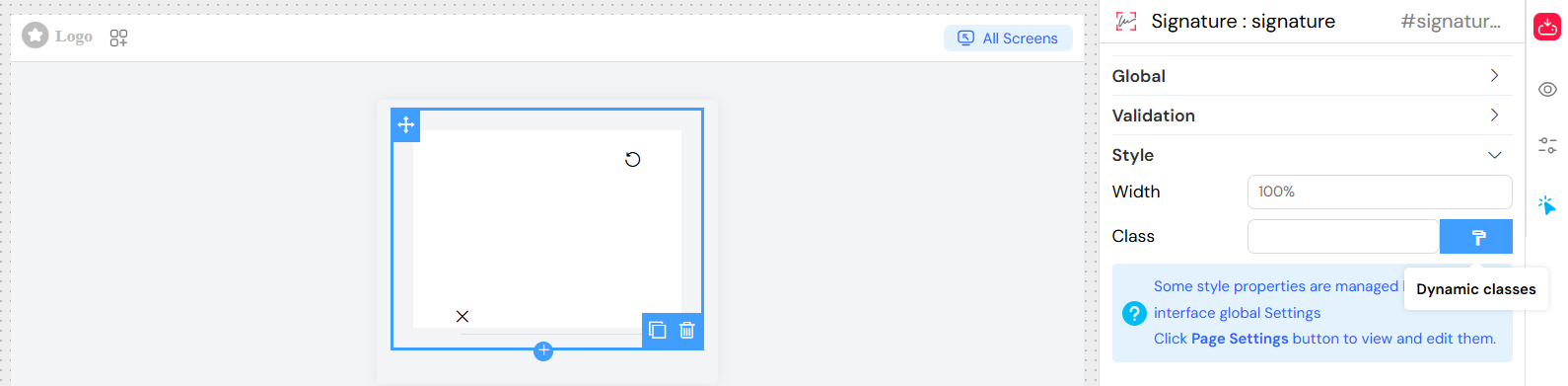
The Signature widget allows users to capture digital signatures directly within forms using an interactive canvas. Users can draw their signature using mouse, touch, or stylus input, and the signature is automatically saved as image data when complete.
FeaturesDirect link to Features
- Interactive Canvas: Draw signatures using mouse, touch, or stylus
- Real-time Capture: Signatures are automatically saved as the user draws
- Clear Function: Built-in clear button to reset the signature
- Responsive Design: Canvas automatically resizes based on device pixel ratio
- Form Integration: Seamlessly integrates with form validation
- Accessibility: Supports keyboard navigation and screen readers
Configuration OptionsDirect link to Configuration Options
Global SettingsDirect link to Global Settings
Basic ConfigurationDirect link to Basic Configuration
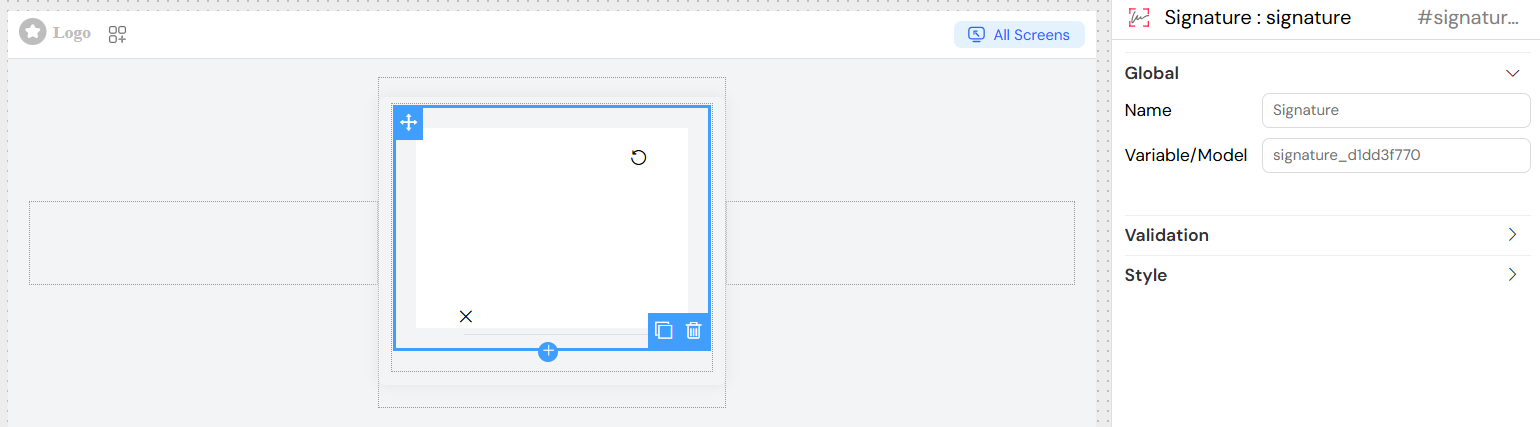
Name
- Description: Display label for the signature field
- Type: Text input
- Required: Yes
- Example: "Customer Signature", "Authorization Signature"
Variable/Model
- Description: Variable name to store the signature data
- Type: Text input
- Required: Yes
- Format: Valid JavaScript variable name
- Example:
customer_signature,approval_sign - Note: The signature is stored as a base64-encoded data URL
Validation SettingsDirect link to Validation Settings
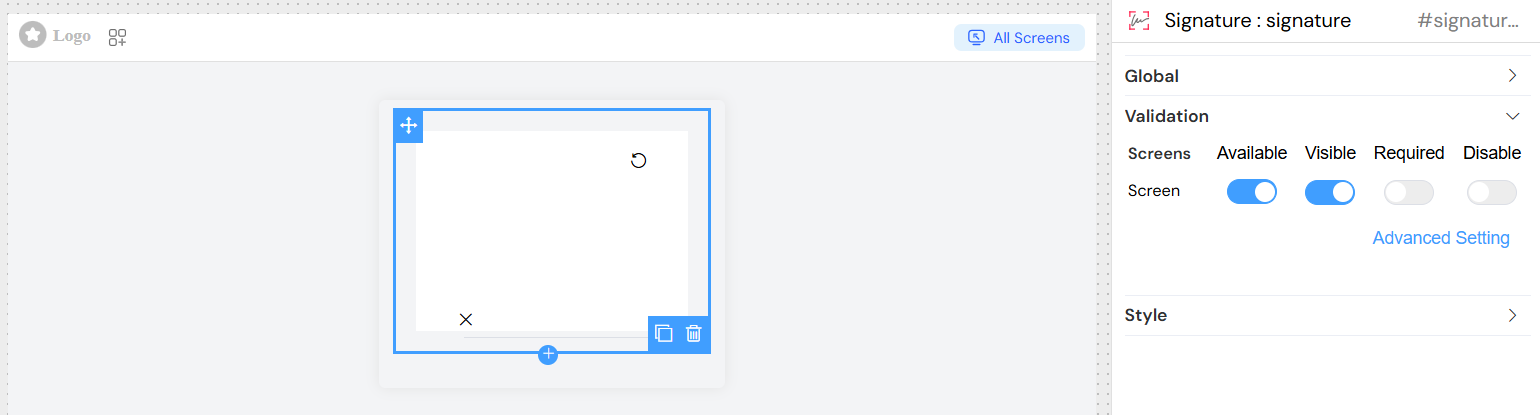
Configure visibility, requirement, and accessibility across different screens/contexts.
Screen-based ValidationDirect link to Screen-based Validation
| Screen | Available | Visible | Required | Disable |
|---|---|---|---|---|
| Desktop | ✓ | ✓ | ✓ | ✓ |
| Mobile | ✓ | ✓ | ✓ | ✓ |
| Tablet | ✓ | ✓ | ✓ | ✓ |
Configuration Options:
- Available: Controls if the widget appears on specific screens
- Visible: Shows/hides the widget based on conditions
- Required: Makes signature mandatory for form submission
- Disable: Prevents user interaction (signature becomes read-only)
Advanced Validation ConditionsDirect link to Advanced Validation Conditions
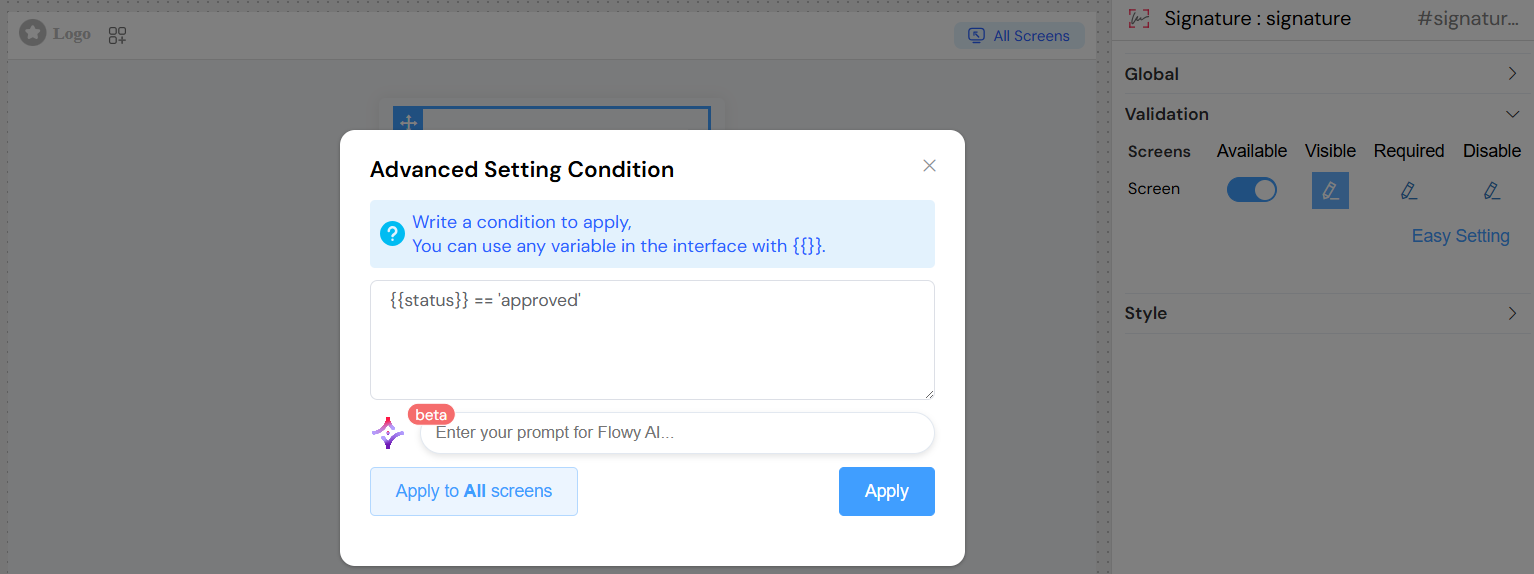
Use JavaScript expressions with dynamic variables:
Example Conditions:
Style ConfigurationDirect link to Style Configuration
Canvas DimensionsDirect link to Canvas Dimensions
Width
- Description: Canvas width
- Type: Text input
- Default: 100% (responsive)
- Format: CSS units (px, %, em, rem)
- Example: "400px", "100%", "20rem"
Height
- Description: Canvas height
- Type: Text input
- Default: Auto-calculated
- Format: CSS units (px, %, em, rem)
- Example: "200px", "15vh"
Styling OptionsDirect link to Styling Options
Class Names
- Description: Custom CSS classes for styling
- Type: Text input
- Format: Space-separated class names
- Example: "signature-large bordered-canvas"
Dynamic Classes
- Description: Conditional CSS classes based on form state
- Type: JavaScript expression
- Example:
{
  'signature-required': {{isRequired}},
  'signature-error': {{hasError}},
  'signature-completed': {{signature}} !== undefined
}
Best PracticesDirect link to Best Practices
User ExperienceDirect link to User Experience
- Clear Instructions: Provide clear labeling and instructions
- Appropriate Size: Ensure canvas is large enough for comfortable signing
- Error Handling: Show clear error messages for validation failures
- Responsive Design: Test on various devices and screen sizes
Security ConsiderationsDirect link to Security Considerations
- Data Validation: Validate signature data on server-side
- File Size: Monitor signature file sizes for performance
- Storage: Implement appropriate data retention policies
- Privacy: Ensure compliance with data protection regulations
Performance OptimizationDirect link to Performance Optimization
- Canvas Size: Balance quality with performance
- Compression: Consider image compression for large signatures
- Caching: Implement appropriate caching strategies
- Loading: Show loading states during signature capture
TroubleshootingDirect link to Troubleshooting
Common IssuesDirect link to Common Issues
Signature Not Saving
- Check model name configuration
- Verify form submission handling
- Ensure canvas is properly initialized
Canvas Not Responsive
- Verify width/height settings
- Check CSS conflicts
- Test on different devices
Validation Errors
- Review required field settings
- Check validation rules syntax
- Verify screen-specific configurations
Performance Issues
- Reduce canvas dimensions if needed
- Optimize image compression
- Check for memory leaks in signature handling
Debug InformationDirect link to Debug Information
// Debug signature widget state
console.log("Signature Model:", this.models.customer_signature);
console.log("Widget Visible:", this.visible);
console.log("Widget Required:", this.required);
console.log("Widget Disabled:", this.disable);
API ReferenceDirect link to API Reference
EventsDirect link to Events
- endStroke: Triggered when user completes a stroke
- beforeClear: Triggered before signature is cleared
- afterClear: Triggered after signature is cleared
MethodsDirect link to Methods
- clear(): Clears the signature canvas
- fromDataURL(): Loads signature from data URL
- toDataURL(): Exports signature as data URL
- on(): Enables signature input
- off(): Disables signature input
PropertiesDirect link to Properties
- signaturePad: Reference to SignaturePad instance
- canvas: Reference to canvas element
- data: Current signature data URL
- isDisable: Current disabled state