Popup Widget
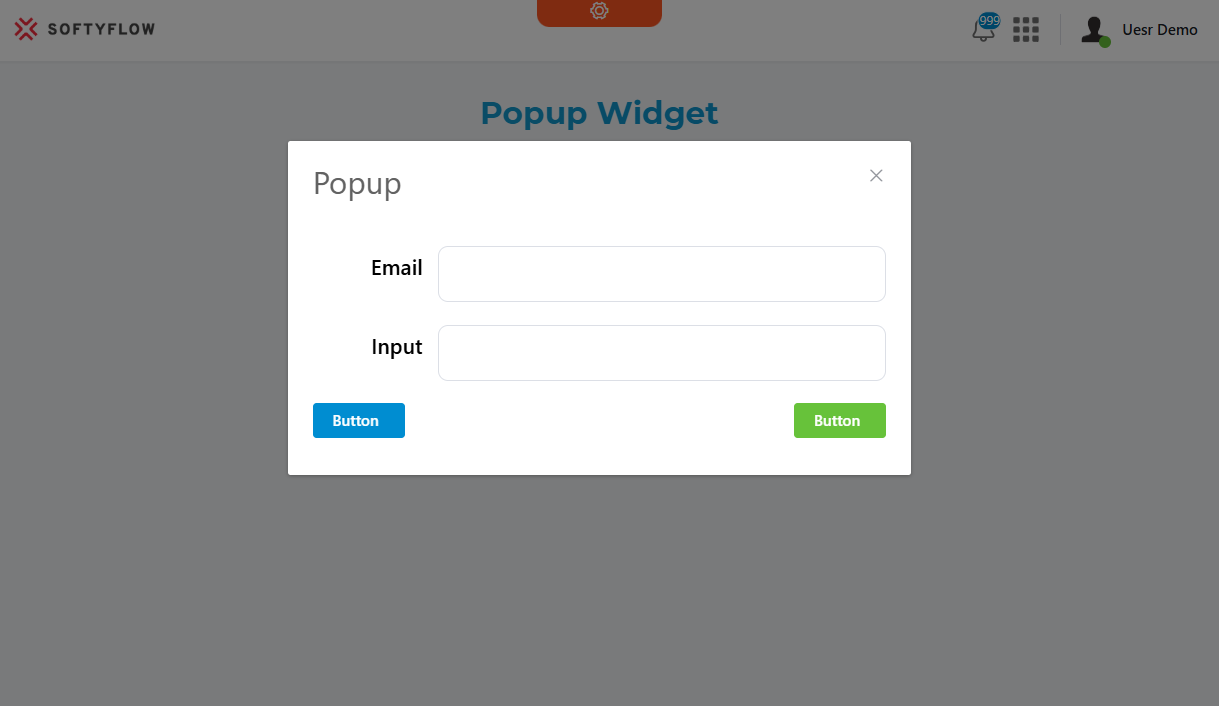
The Popup widget creates a modal dialog that displays content over the main interface. It's built using Element UI's dialog component and provides extensive customization options for content display, validation rules, and user interactions.
Basic ConfigurationDirect link to Basic Configuration
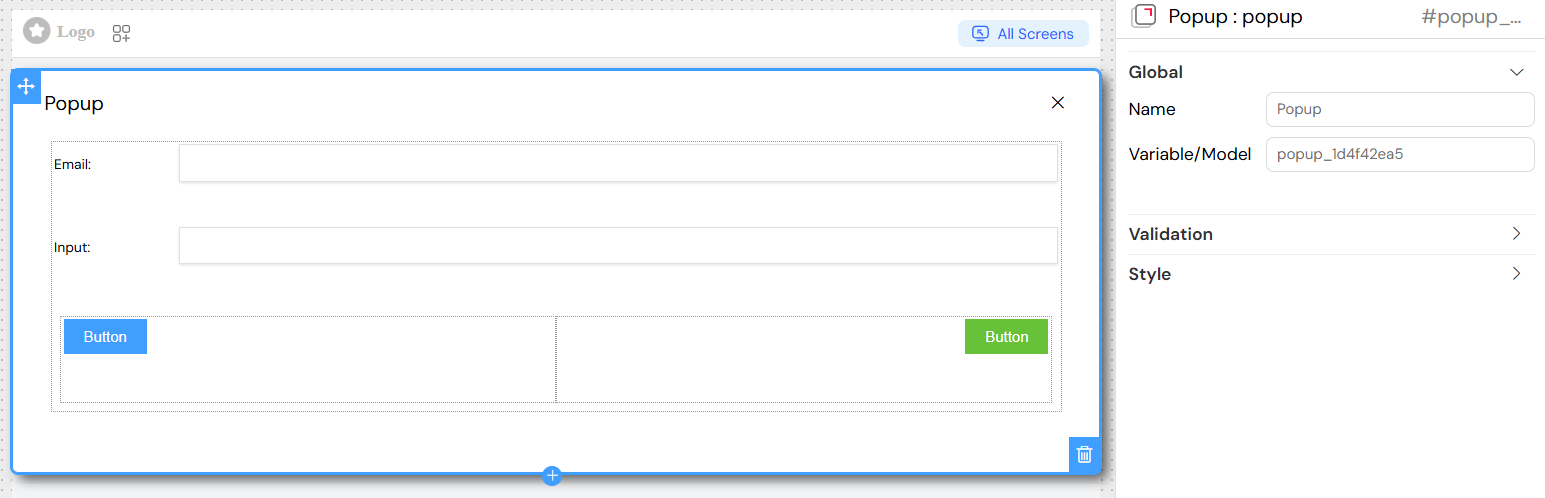
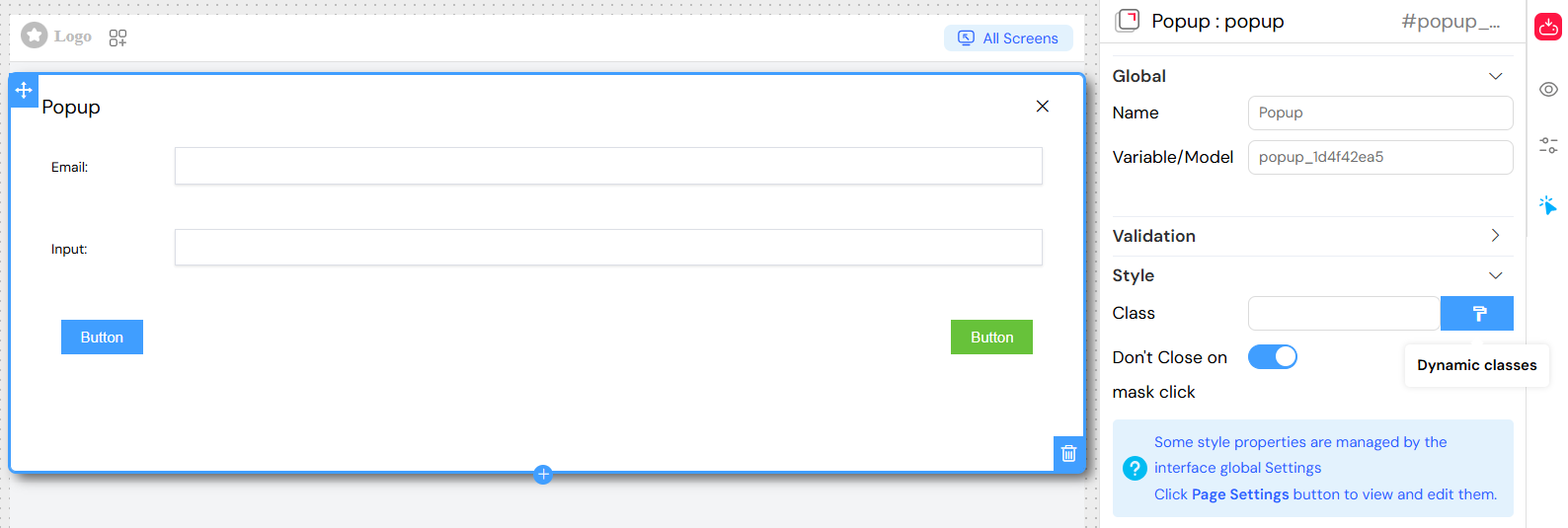
Global SettingsDirect link to Global Settings
Name
- The display name for the popup widget
- Used for identification and reference within the interface
Variable/Model
- Defines the data model binding for the popup
- Controls the popup's visibility state and data context
- Format:
variableNameormodel.property
Content ManagementDirect link to Content Management
Dialog PropertiesDirect link to Dialog Properties
Title
- Sets the header text displayed at the top of the popup
- Supports translation using the
SF_translatefilter - Can include dynamic content using variable interpolation
Content Structure
- Popups contain a grid layout system (el-row/el-col)
- Can include any combination of widgets: forms, tables, buttons, text, etc.
- Widgets are rendered based on their individual validation rules
Nested Widget SupportDirect link to Nested Widget Support
The popup acts as a container for other widgets:
- Grid layouts for structured content organization
- Form elements (inputs, selects, checkboxes, etc.)
- Display widgets (text, titles, images, tables)
- Interactive widgets (buttons, drawers, other popups)
Visibility and ValidationDirect link to Visibility and Validation
Screen-Based ValidationDirect link to Screen-Based Validation
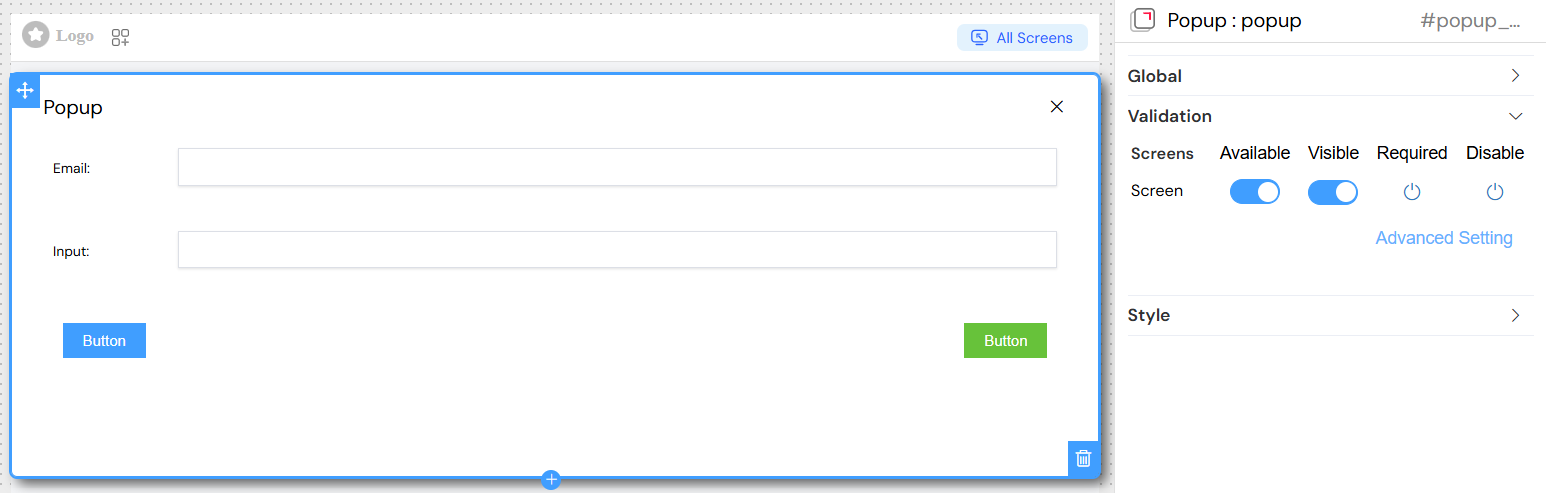
Configure different behaviors across multiple screens/contexts:
Available
- Controls whether the popup is available in specific screens
- Boolean value:
trueorfalse
Visible
- Controls popup visibility with advanced condition support
- Options:
- Simple boolean:
trueorfalse - Dynamic conditions using variables:
{{variableName}} - Complex expressions:
{{user.role}} === 'admin' && {{status}} === 'active'
- Simple boolean:
Required
- Defines if popup interaction is mandatory
- Inherits validation rules for contained form elements
Disable
- Controls whether the popup can be opened/interacted with
- Supports conditional logic similar to visibility
Advanced Visibility ConditionsDirect link to Advanced Visibility Conditions
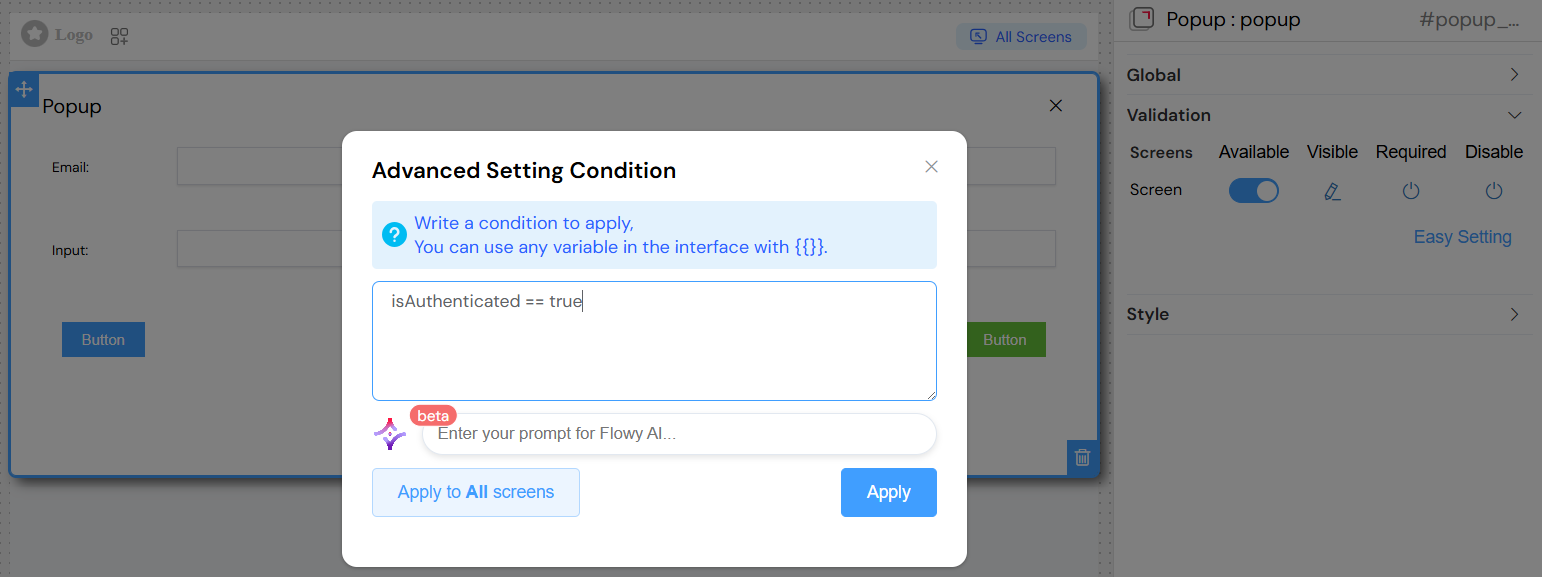
Variable References
- Use
{{variableName}}for dynamic conditions - Access nested properties:
{{user.profile.role}} - Support for comparison operators:
===,!==,>,<,>=,<=
Complex Conditions
Styling and LayoutDirect link to Styling and Layout
Basic StylingDirect link to Basic Styling
Class Names
- Static CSS classes:
custom-popup large-modal - Dynamic classes using conditions:
Size and Positioning
- Width: Set popup width (pixels, percentages, or CSS units)
- Height: Define popup height constraints
- The popup automatically centers on screen
Behavior SettingsDirect link to Behavior Settings
Close on External Click
- Don't Close on mask click: Prevents closing when clicking outside
- Default:
false(allows closing by clicking backdrop) - Set to
trueto require explicit close action
Modal Behavior
- Blocks interaction with background content
- Provides overlay/backdrop effect
- Keyboard navigation support (ESC to close)
Event HandlingDirect link to Event Handling
Popup EventsDirect link to Popup Events
On Close
- Triggered when popup is closed (any method)
- Can execute custom JavaScript functions
- Access to popup data context
Visibility Changes
- Automatic event firing on show/hide
- Integration with parent component lifecycle
Widget EventsDirect link to Widget Events
Nested widgets maintain their individual event handlers:
- Button clicks
- Form submissions
- Data changes
- Validation events
Best PracticesDirect link to Best Practices
Performance OptimizationDirect link to Performance Optimization
- Use specific visibility conditions to avoid unnecessary renders
- Implement proper data cleanup on close
- Minimize nested widget complexity
User ExperienceDirect link to User Experience
- Provide clear close mechanisms (buttons, ESC key)
- Use appropriate sizes for content
- Implement loading states for async operations
AccessibilityDirect link to Accessibility
- Ensure keyboard navigation works properly
- Provide appropriate ARIA labels
- Maintain focus management
Data IntegrityDirect link to Data Integrity
- Validate form data before closing
- Handle unsaved changes appropriately
- Provide confirmation for destructive actions
Integration PatternsDirect link to Integration Patterns
With TablesDirect link to With Tables
- Row action popups for details/editing
- Bulk operation confirmations
- Filter/search interfaces
With FormsDirect link to With Forms
- Multi-step wizards
- Detailed input sections
- File upload interfaces
With NavigationDirect link to With Navigation
- Context menus
- Help systems
- Settings panels
The Popup widget provides a powerful foundation for creating rich, interactive modal experiences while maintaining clean separation between content and presentation logic.